
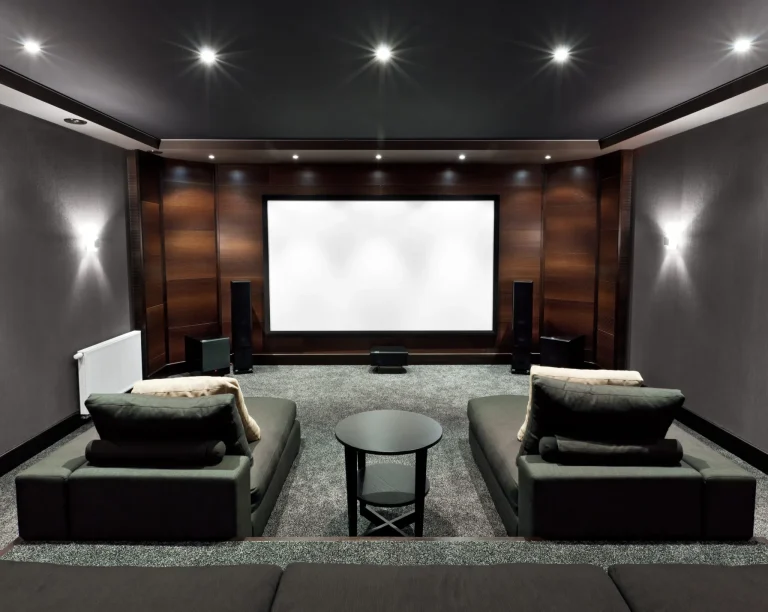
Audio video system installation transforms ordinary rooms into immersive entertainment spaces where technology serves your lifestyle seamlessly. Whether creating dedicated home theater environments or integrated home audio throughout your property, professional installation ensures components work together reliably.
Here’s what audio video system installation entails and why professional expertise matters.
Understanding Audio Video Systems
Audio video systems combine multiple components, creating cohesive entertainment experiences. Rather than disconnected devices requiring separate operation, integrated systems work together through unified control.
Core Components
Complete AV systems typically include:
- Displays like televisions, projectors, or screens showing video content
- Speakers delivering audio throughout viewing spaces
- Receivers or processors managing audio and video signals
- Source devices providing content from streaming, cable, or media players
- Control systems enabling unified operation of all components
These elements interconnect, creating seamless experiences where selecting content, adjusting volume, and controlling displays happen through simple, integrated interfaces.
Why Integration Matters
Individual components work independently, but integration transforms them into cohesive systems. Home automation platforms like Control4 or Crestron orchestrate all components, ensuring they communicate reliably and respond to unified commands.
Integration means “movie mode” automatically lowers displays, dims lighting, adjusts climate, and activates audio systems through single commands rather than operating each component separately.
The Planning Phase
Professional audio video system installation begins with systematic planning, ensuring technology serves your specific needs.
Needs Assessment
Understanding how you’ll use spaces determines appropriate system design. Daily viewing habits, entertaining patterns, room usage, and aesthetic priorities influence equipment selection and installation approach.
Room Evaluation
Physical spaces significantly impact system design. Our design and engineering services assess room dimensions, seating layouts, existing infrastructure, architectural features, and network accessibility.
Infrastructure Planning
Proper infrastructure determines system reliability. Planning includes network requirements, power distribution, equipment rack locations, cable routing, and ventilation for equipment cooling.
Professional WiFi installation using commercial-grade equipment from Ruckus, Araknis, or Access Networks ensures reliable connectivity.
Equipment Selection and Placement
Choosing appropriate components and positioning them correctly determines system performance.
Display Selection
Display choice depends on room characteristics and viewing preferences, including viewing distance, ambient light, room dimensions, and mounting options. Professional installation ensures displays mount at appropriate heights and positions for comfortable viewing.
Speaker Configuration
Speaker selection and placement dramatically impact audio quality. Quality speakers appropriate for room size, matched sets ensuring consistent sound, and proper positioning creating even distribution matter more than quantity.
We often specify Sonance speakers for architectural integration, providing excellent audio while maintaining clean aesthetics.
Receiver and Processing
Audio video receivers manage signals between sources, displays, and speakers. Professional installation ensures receivers have adequate capacity with expansion room, format support, and integration capability with control platforms.
The Installation Process
Once planning is complete and equipment is selected, physical installation begins.
Infrastructure Installation
Installation starts with foundational work, including network cabling, electrical connections, equipment rack assembly, and speaker wire runs to all zones. This infrastructure work happens during construction when possible, ensuring clean installation without exposed wiring.
Equipment Mounting and Connection
After the infrastructure is completed, equipment installation follows. Displays mount securely, speakers install in designed positions, receivers and sources connect properly, and all components interconnect through planned wiring.
System Programming
Physical installation completes before programming begins. Programming integrates all components through automation platform configuration, user interface customization, source routing setup, and volume calibration. Proper programming ensures systems operate intuitively for everyday use.
System Calibration
Calibration optimizes performance after installation completes.
Audio Calibration
Proper audio calibration ensures balanced sound throughout listening areas through speaker level matching, delay timing for synchronized sound, equalization addressing room acoustics, and bass management. Professional calibration uses measurement tools to optimize performance for your specific room.
Video Optimization
Display settings receive attention, ensuring picture quality through brightness and contrast adjustments, color accuracy, motion handling, and input settings optimized per source. These adjustments transform good displays into excellent viewing experiences.
Testing and Verification
Before completing installation, thorough testing ensures reliable operation.
Functional Testing
Every system capability gets verified systematically. All sources play correctly through proper outputs, volume controls function across all zones, automation scenes trigger appropriately, and user interfaces respond as programmed.
Issues found during testing get addressed before system handoff.
User Training
Knowing how to operate your systems makes the difference between the technology you use and the technology you ignore. Training covers daily operations for common scenarios, source selection and content access, volume and display adjustments, automation scene activation, and basic troubleshooting.
Training emphasizes what you’ll do regularly rather than exhaustive coverage of every theoretical capability.
Professional Installation vs. DIY
While consumer products promise easy setup, professional audio video system installation delivers capabilities and reliability that DIY approaches don’t match.
Expertise and Experience
Professional integrators bring knowledge of component compatibility, installation best practices, programming expertise, and troubleshooting capabilities developed through extensive experience.
This expertise prevents common mistakes compromising performance or reliability.
Proper Tools and Testing
Professional installation includes specialized tools for mounting, wire fishing, calibration, and testing, ensuring quality results. Consumer installations often lack equipment verifying proper installation and performance.
Integration Quality
Platforms like Control4 and Crestron require expertise for proper programming and integration. Professional integrators create systems that feel polished and operate intuitively rather than just technically functioning.
Long-Term Support
Professional relationships include ongoing support for questions, system updates, modifications, and troubleshooting. DIY installations leave you managing all issues independently.
Why Professional Installation Matters
Audio video system installation done professionally creates systems that genuinely enhance life rather than adding complexity.
At AudioTec Designs, we’ve installed AV systems since 1989. We understand what works in different spaces, how components integrate reliably, and what separates systems people love from those they tolerate.
Our approach emphasizes understanding your needs before designing, proper infrastructure supporting reliable operation, quality installation ensuring longevity, intuitive programming making operation simple, and ongoing support maintaining performance.
Contact us to discuss your audio video installation. We’ll assess your space, explain what’s possible, and design systems delivering the immersive experiences you envision.
Frequently Asked Questions
How long does AV system installation take?
Installation duration varies based on system complexity and scope. Single-room installations differ from whole-house systems with extensive automation and integration. We provide timelines during planning based on your particular project requirements.
Can AV systems be installed in existing homes?
Yes, professional installation adapts to existing construction. While new construction allows easier wire routing, retrofit installations achieve excellent results through experienced wire fishing, strategic equipment placement, and thoughtful planning, minimizing visible wiring.
Do I need dedicated equipment rooms?
Dedicated equipment rooms simplify installation and maintenance, but aren’t mandatory. Equipment can be located in closets, basement areas, or even within entertainment furniture when properly ventilated. We design based on available space while ensuring adequate cooling and service access.
Can existing equipment be integrated into new systems?
Sometimes. Professional platforms integrate many existing components, though compatibility varies. We evaluate what you currently have and recommend whether integration makes sense versus replacement, ensuring reliable long-term operation.
What maintenance do AV systems require?
Properly installed systems need minimal maintenance. Periodic software updates keep platforms current. Occasional cleaning maintains performance. Professional service agreements can formalize this maintenance, ensuring systems receive appropriate attention over time.